


A Vim-friendly terminal user interface (TUI) application for managing notes. note-tui provides a clean and efficient way to interact with your notes directly from the command line, featuring a split-pane view for note listing and content preview, with full Markdown support and seamless Vim/Neovim integration.
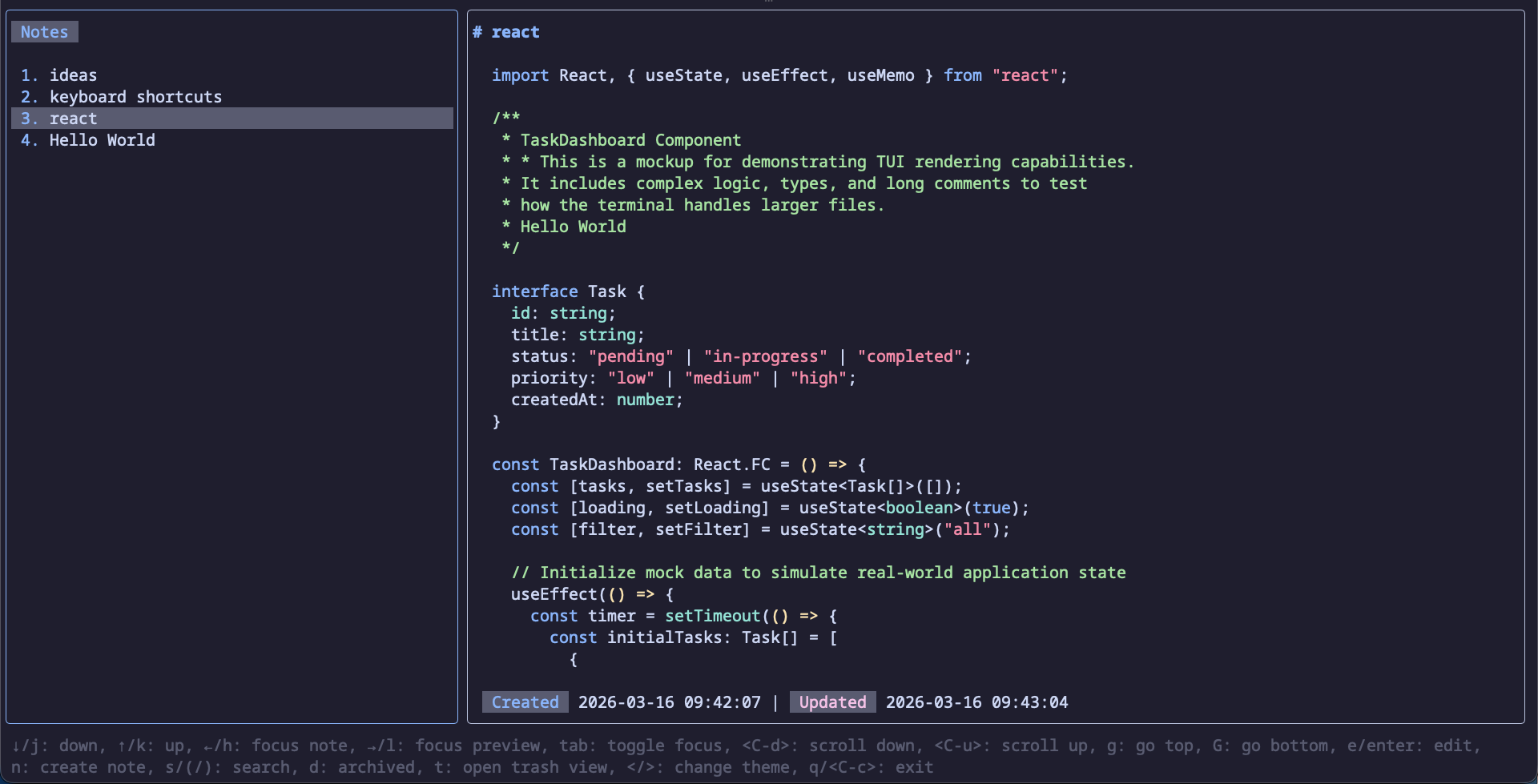
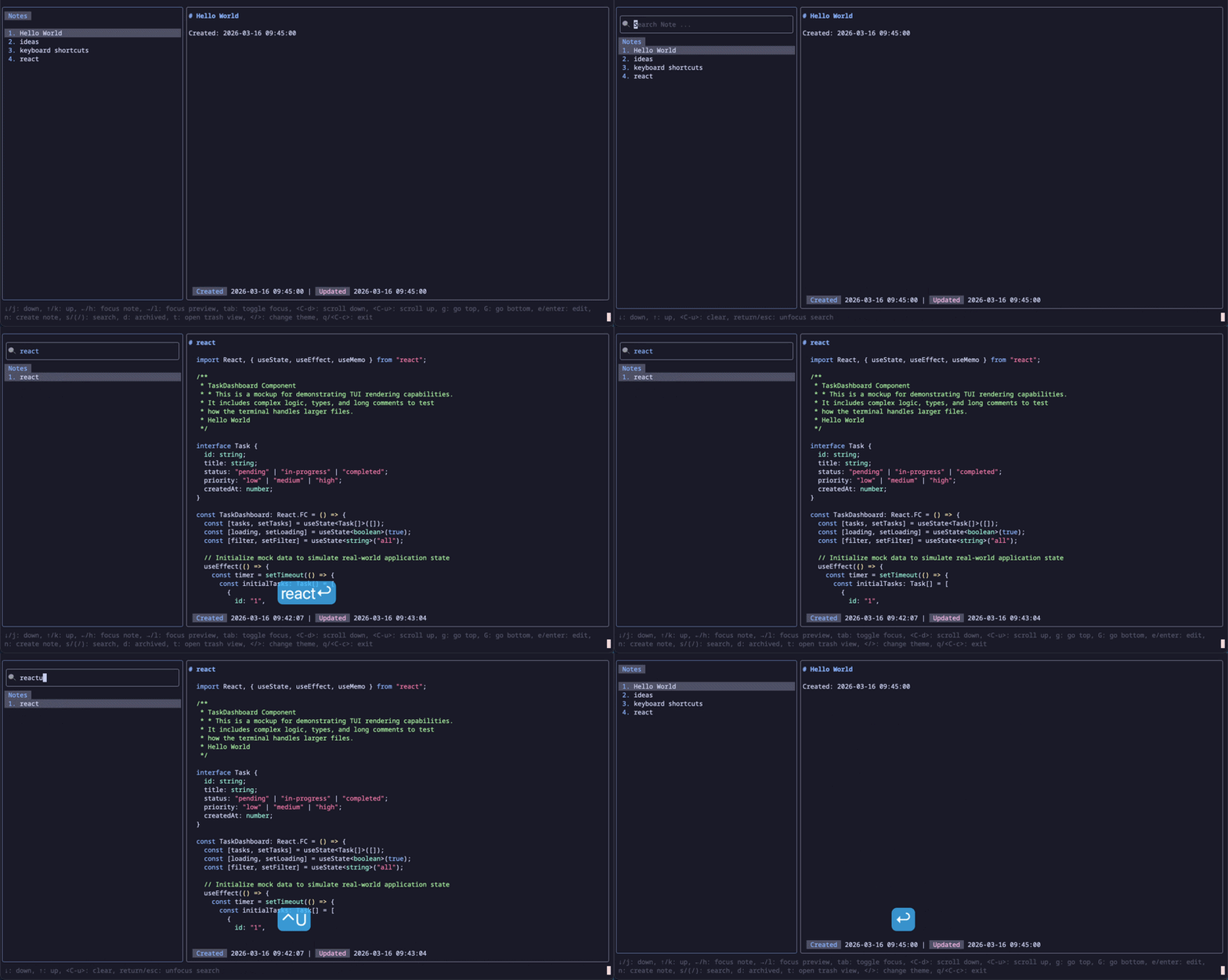
- Split-Pane Interface: Dedicated panes for listing notes and previewing their content.
- Markdown Support: Render your notes with full Markdown syntax highlighting.
- Intuitive Navigation: Easily browse, select, and view notes using keyboard shortcuts.
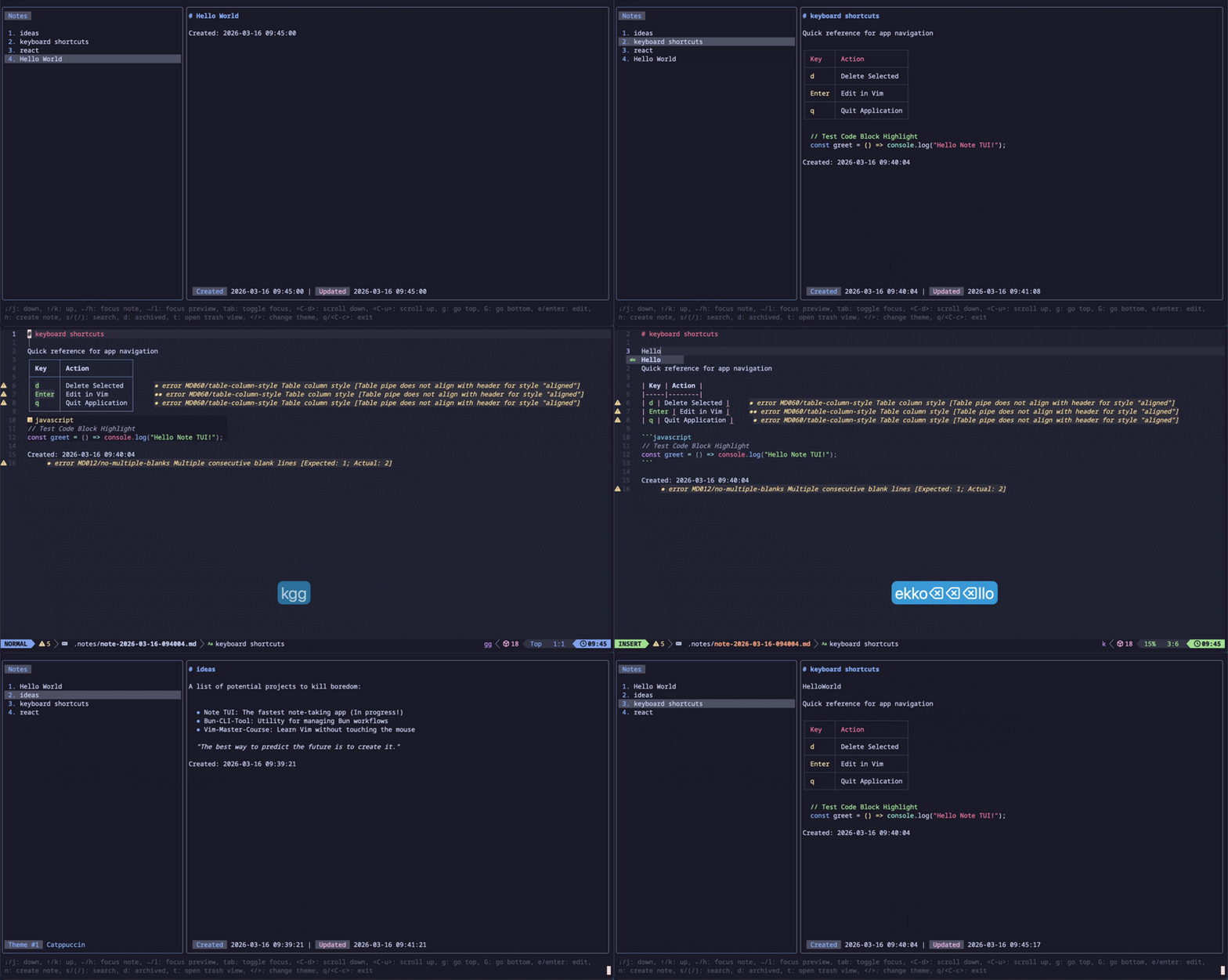
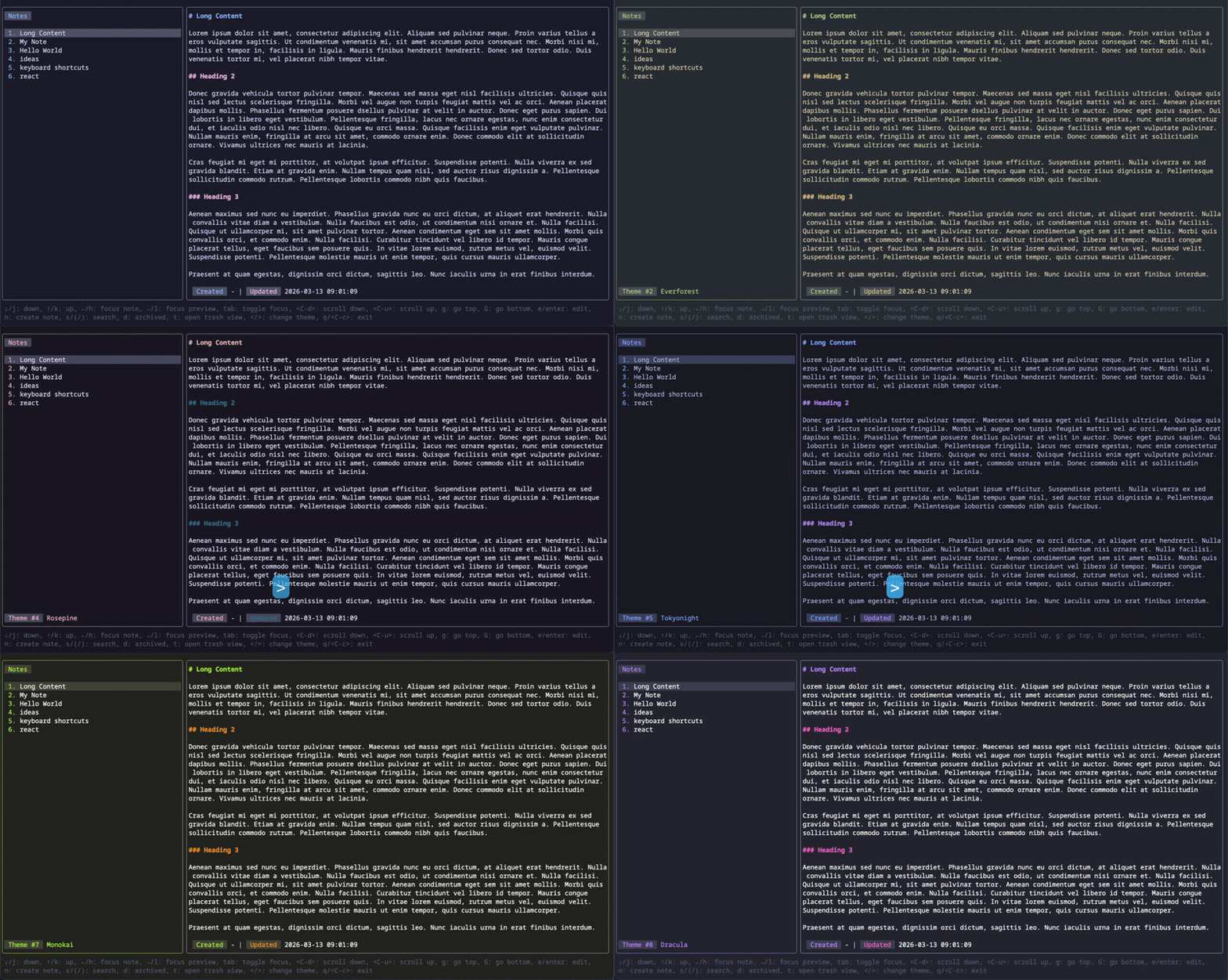
- Themable: Customize the application's appearance to your preference.
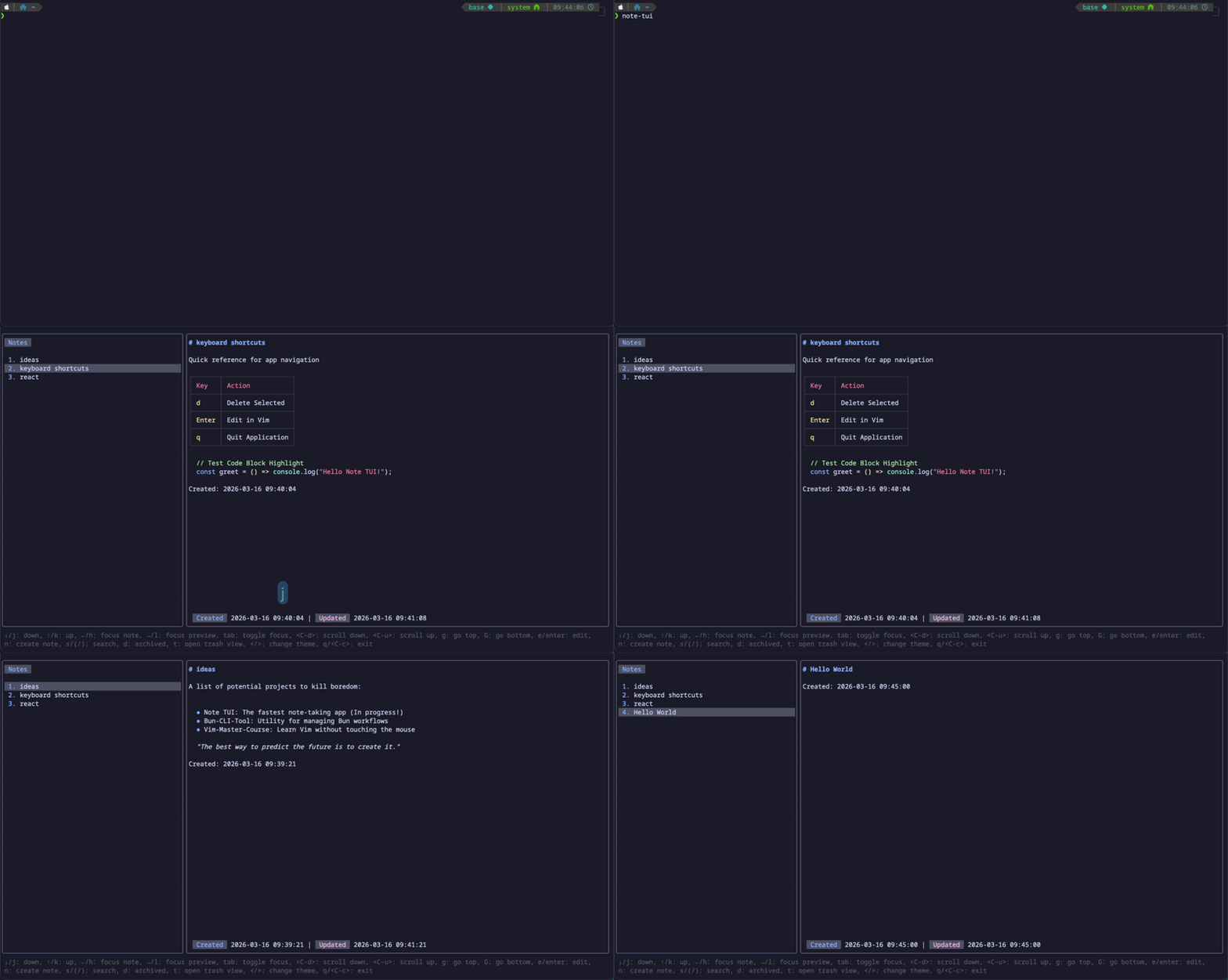
Download pre-built binaries for your platform from the Releases page.
brew tap Pansther/note-tui
brew install note-tuinpm
npm i -g note-tuiyarn global add note-tuiTo start the note-tui application directly from the source code, make sure you have Bun (version 1.x or higher) installed.
-
Install dependencies:
bun install
-
Run the application:
bun dev
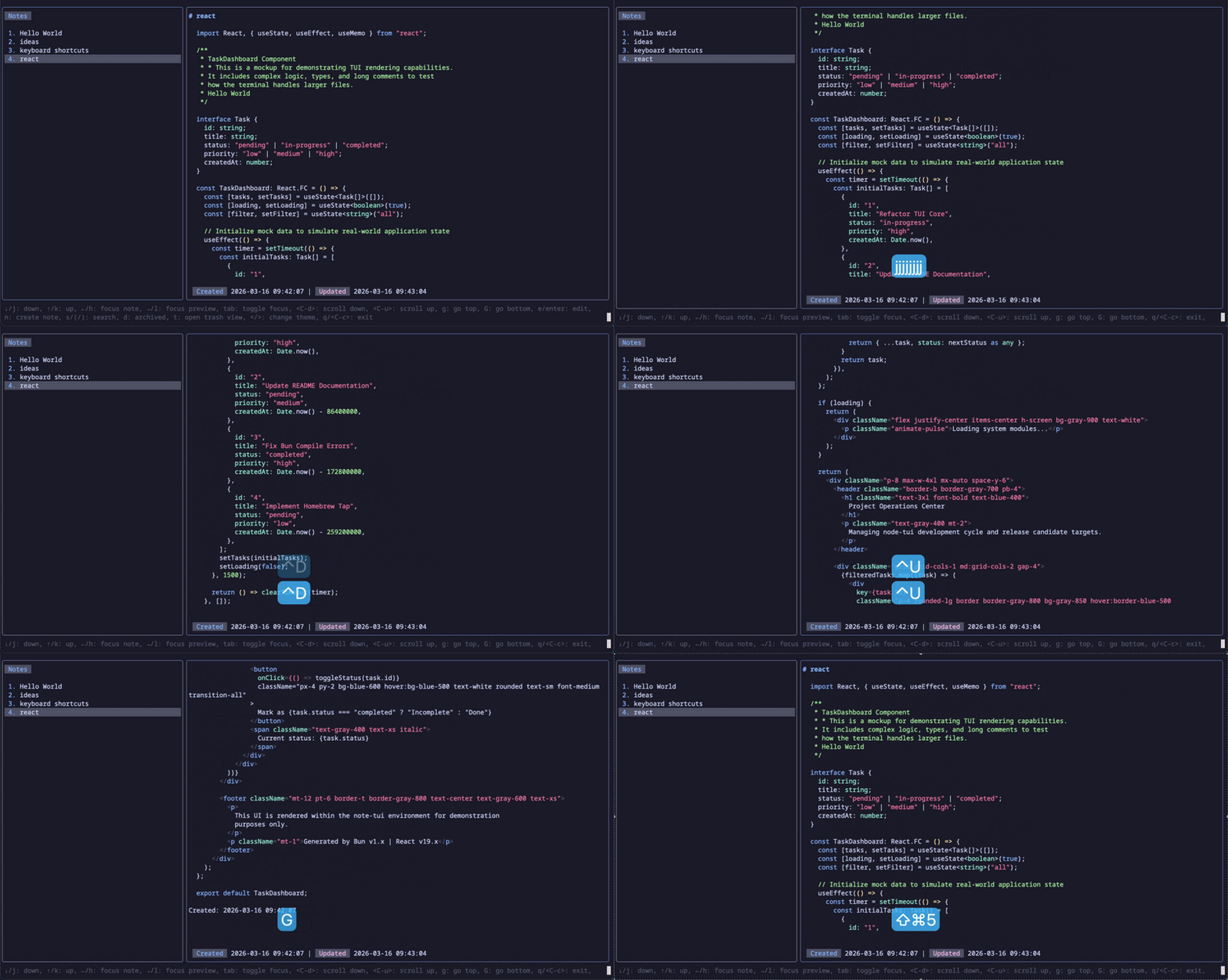
note-tui supports common Vim-like keybindings for efficient navigation and interaction within the application. This includes familiar keys like j, k for vertical movement, h, l for horizontal focus changes, and g, G for quick jumps to the top or bottom of a list.
| Key | Description |
|---|---|
| ↓,j | down |
| ↑,k | up |
| ←,h | focus note |
| →,l | focus preview |
| tab | toggle focus |
| ctrl+d | scroll down |
| ctrl+u | scroll up |
| g | go top |
| G | go bottom |
| e,enter | edit |
| n | create note |
| s,/ | search |
| d | archived |
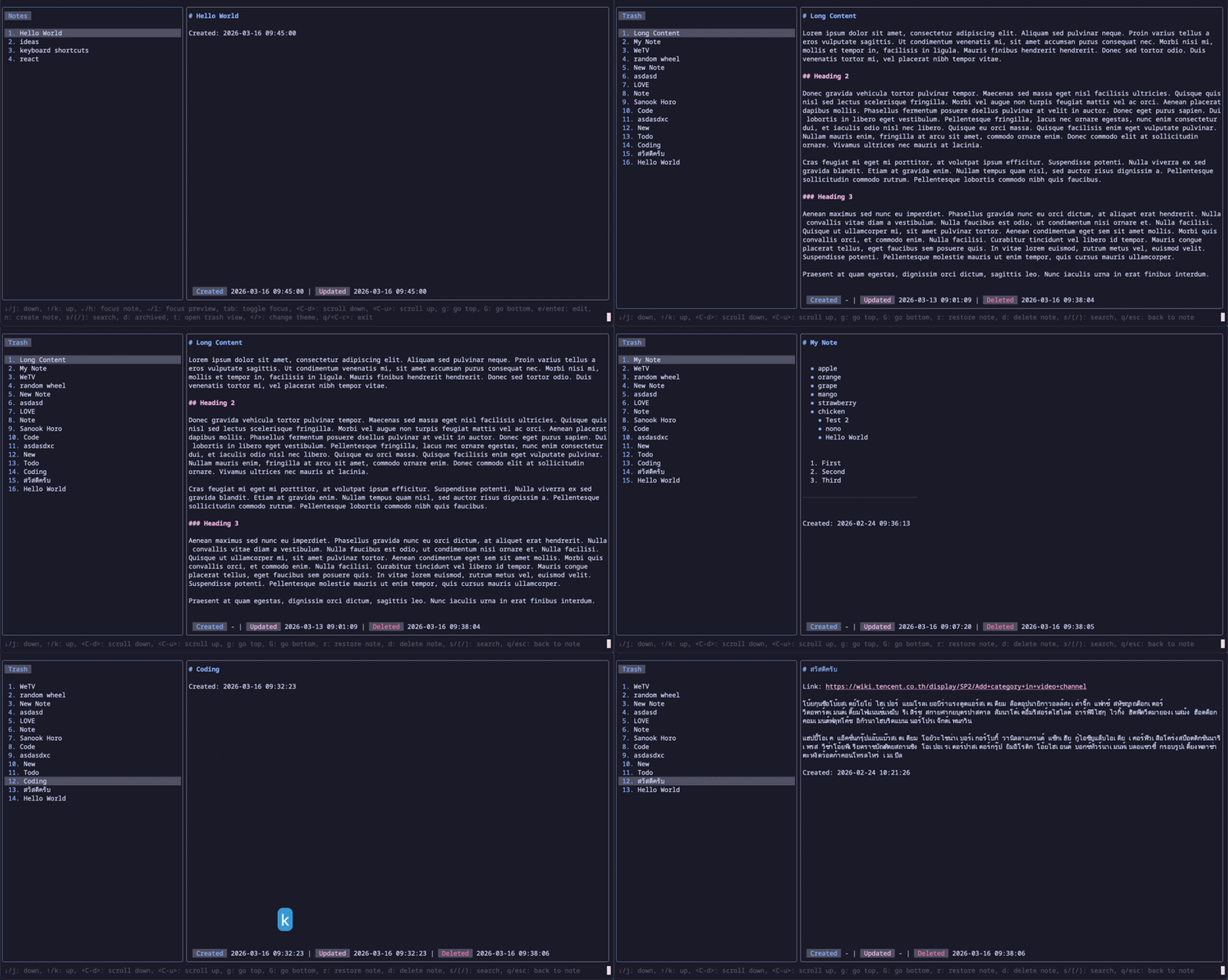
| t | open trash view |
| <,> | change theme |
| q,ctrl+c | exit |
| Key | Description |
|---|---|
| ↓,j | down |
| ↑,k | up |
| ctrl+d | scroll down |
| ctrl+u | scroll up |
| g | go top |
| G | go bottom |
| r | restore note |
| d | delete note |
| s,/ | search |
| q,esc | back to note |
| Key | Description |
|---|---|
| ↓ | down |
| ↑ | up |
| ctrl+u | clear |
| return,esc | unfocus search |
| q,ctrl+c | exit |
note-tui stores your notes in ~/.notes.
If the colors in note-tui appear dull or incorrect, your terminal might not be identifying itself as a True Color terminal. You can fix this by adding the following to your shell configuration (.zshrc or .bashrc):
export COLORTERM=truecolorThis project is licensed under the MIT License - see the LICENSE file for details.